
Steps
- Open Gang Sheet Settings – 1. Click the Gang Sheet tab from the menu. 2. 3. Next, click Update More . 4. 5. You may also reach it via Settings → Settings → Gang Sheet tab. 6.
- Locate the Printer Format Option – Inside the Gang Sheet tab, you'll find multiple configuration options, including: - Gang Sheet File Name Format - Edit Request Email - Print File Name - File Name Position - File Name Height - Gang Sheet File Type (the printer format) - Trim Empty Space at the Bottom - Upload to Dropbox
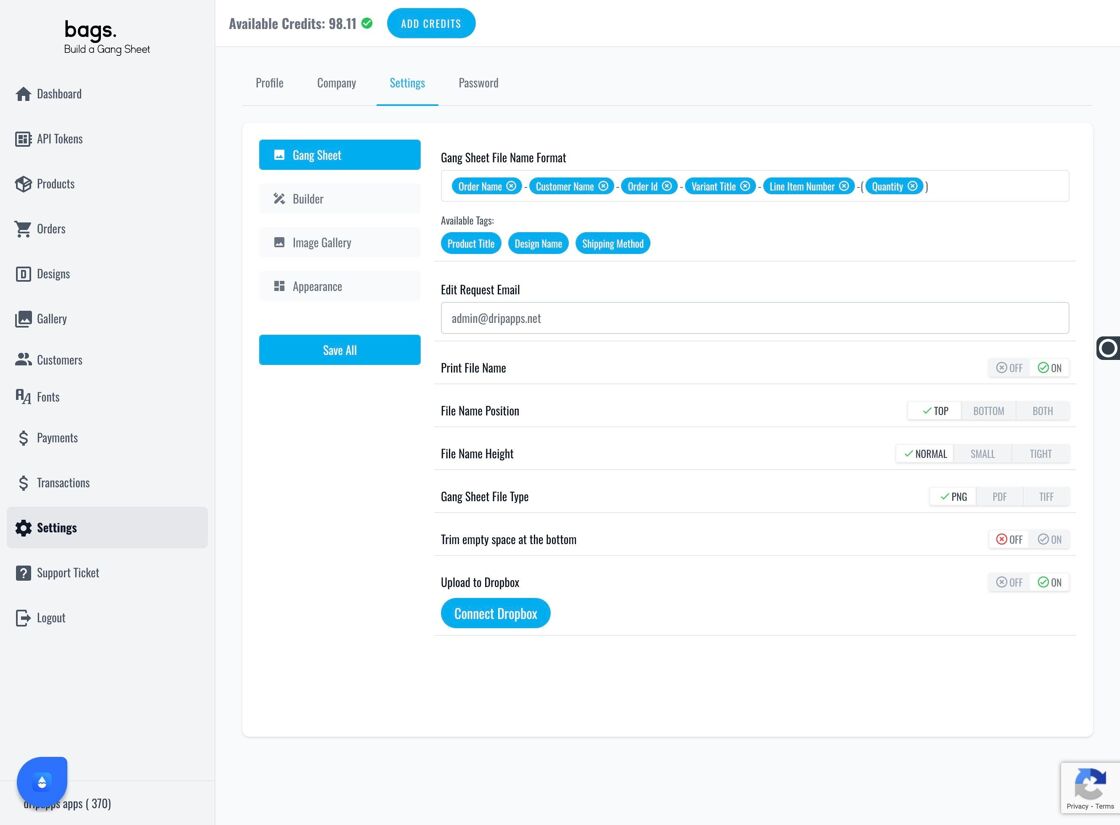
Gang Sheet tab settings - Select the Appropriate File Type – 1. Under Gang Sheet File Type , choose the format your printer supports best: TIFF – Preferred by many DTF printers PNG – Lightweight and common PDF – Great for preserving vector-based artwork 2. This setting has no effect on customer-uploaded artwork. It only impacts your final print file output. 3.
Pro Tip
You can update your selected file format at any time. We recommend confirming compatibility with your print queue or RIP software before changing formats.