
How to Disable Image Snapping
- While inside the builder, locate and open the Settings panel.
- Find the option labeled "Snap when moving" .
- Toggle this setting off .
- Return to the artboard and move your images freely without grid alignment.
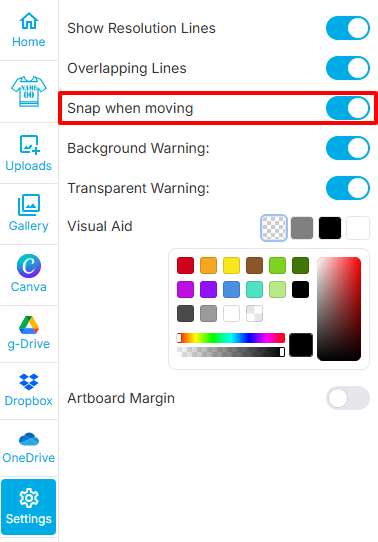
Location of the "Snap when moving" toggle in the Settings panel.
Why Disable Snapping?
Disabling snapping allows for more flexible and precise manual placement of images. This is especially useful when working on custom layouts or when exact grid alignment is not required.