
How to Use This Feature
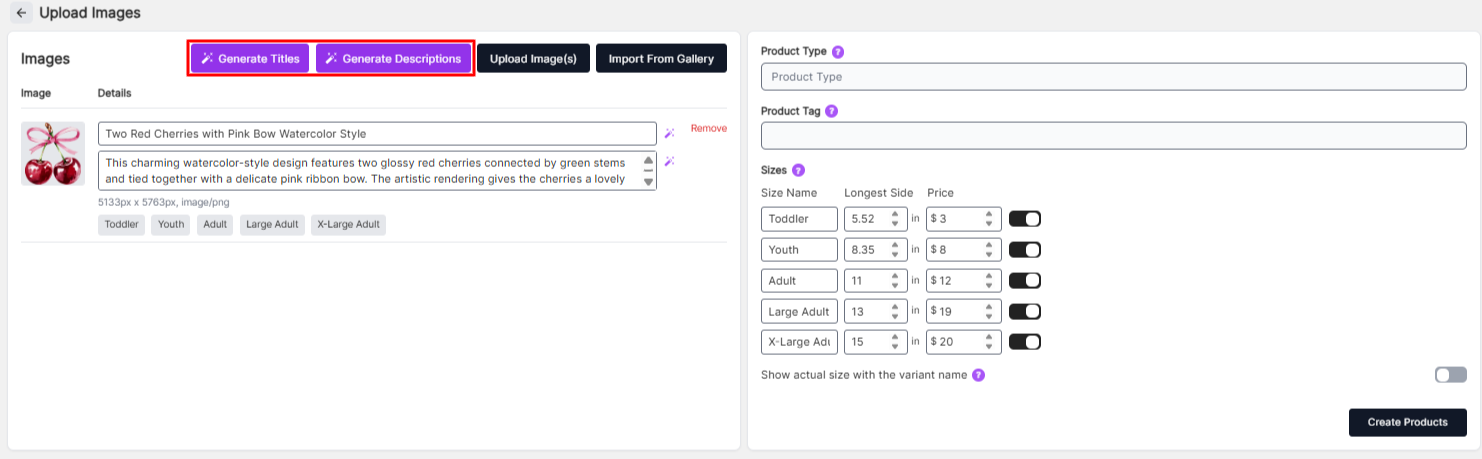
Use the Generate Title or Generate Description buttons to automatically create content.
How It Works
After uploading your image, the AI analyzes the visual content and generates a suggested title and description that best match the design. This helps ensure your products are labeled clearly and consistently.
Why Use AI Generation?
- Save time when uploading multiple products
- Automatically generate relevant titles and descriptions
- Improve organization and consistency
- Reduce manual typing
Important Note
AI-generated titles and descriptions are suggestions and may not always be perfect. Be sure to review and adjust the content as needed before saving your product.